Agencies
Remote Teams
Freelancers
Outsourcing Companies
Transparent Client Billing
⏱️ Time Tracking
MyTaskOwl Time Tracking
Built for Clarity
Time tracking shouldn’t feel like micromanagement — it should feel like clarity.
With MyTaskOwl’s intelligent Time Tracking System, you can understand how your day flows, improve productivity, and manage your work with confidence — with Ollie AI guiding you every step of the way.
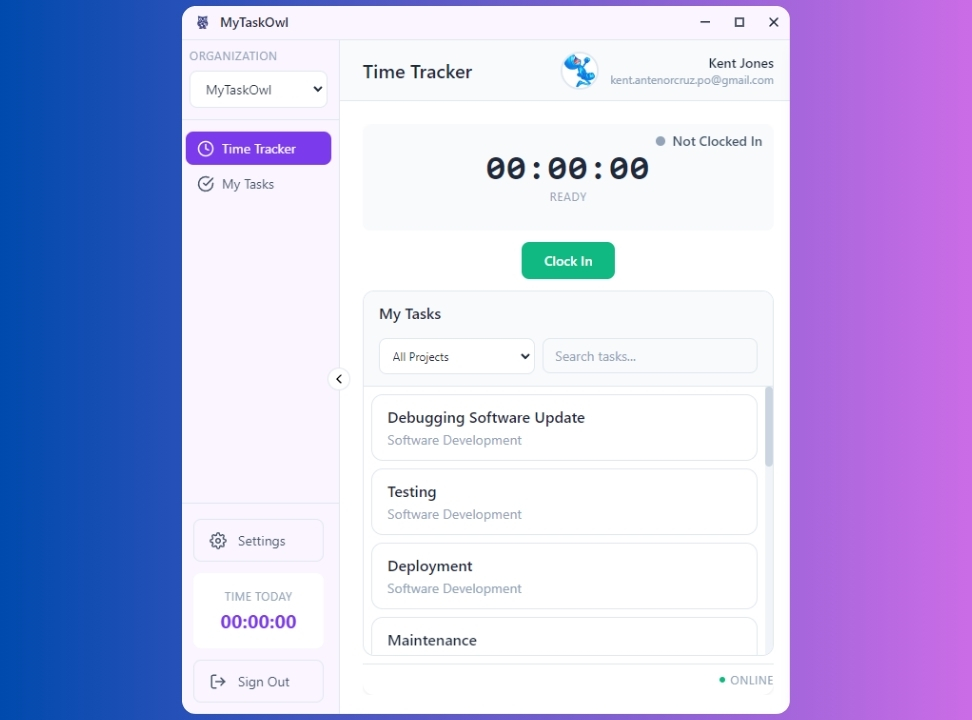
Smart. Simple. Accurate. Powered by Ollie AI.
MyTaskOwl Time Tracking
Time tracking shouldn’t feel like micromanagement — it should feel like clarity.
With MyTaskOwl’s intelligent Time Tracking System, you can understand how your day flows, improve your productivity, and manage your work with confidence.
Designed for entrepreneurs, teams, agencies, freelancers, and multi-tasking professionals, our system puts you in full control of your time — with Ollie AI guiding you every step of the way.
Key Features
MyTaskOwl
Ollie AI Reminders — Your Productivity Companion
Ollie is your smart, friendly AI owl that keeps you consistent and focused with timely reminders, helpful nudges, and positive encouragement—all designed to guide you through your tasks and maintain a healthy workflow.
Ollie reminds you when:
✔️ You forget to start the timer
✔️ You’re working too long without a break
✔️ A task is taking longer than usual
✔️ You log in late or early
✔️ You forget to switch tasks
✔️ You become idle — and need to confirm activity
And Ollie motivates you with:
💬 Positive messages
💬 Performance encouragement
💬 Gentle nudges to complete tasks
💬 End-of-shift congratulations
Ollie isn’t here to monitor you — he’s here to keep you motivated, mindful, and consistent.
(02)
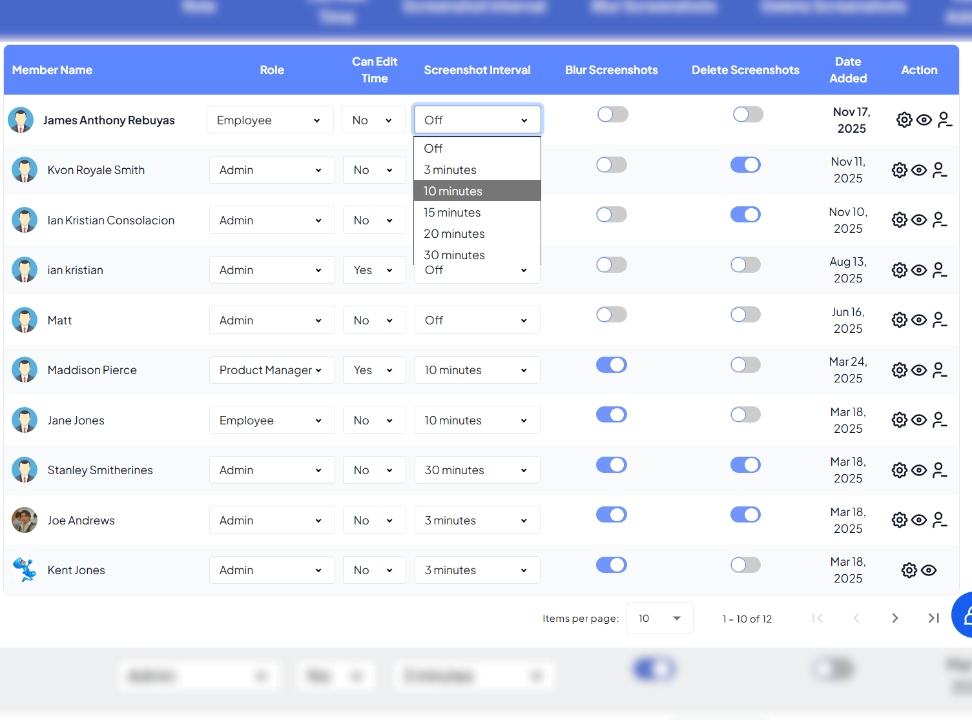
Optional Screenshot Visibility
See your work your way with MyTaskOwl. You can enable or disable screenshots based on your preference. Set capture intervals and blur sensitive areas to protect privacy. Admins can customize settings for each user. Screenshots promote transparency and trust without feeling intrusive.
You choose the settings:
- Enable or disable screenshots
- Set intervals (e.g., every 5–10 minutes)
- Blur sensitive areas for privacy
- Allow admins to customize per user
Screenshots create trust and clarity — without feeling intrusive.
Everything is transparent, and users always know when screenshots are active.
(03)
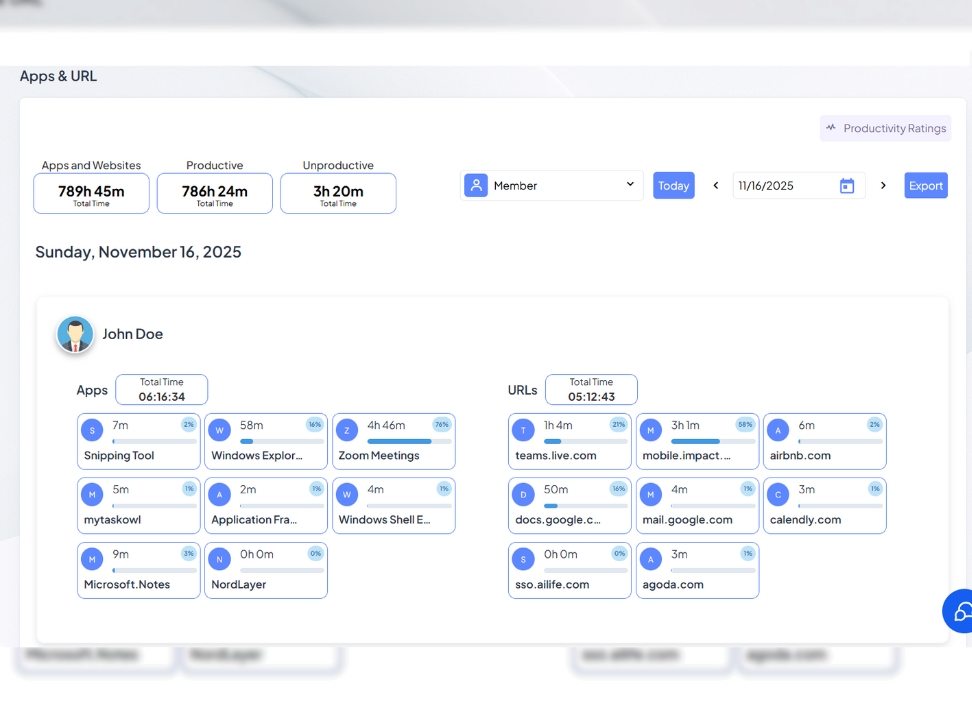
Smart URL & App Activity Tracking
Understand exactly where your time goes.
The system tracks:
✔️ Active websites
✔️ Active applications
✔️ Time spent per website/app
✔️ Productivity labeling (productive vs. non-productive)
✔️ Idle time vs. active time
This helps users improve focus and helps managers understand working patterns — without unnecessary pressure.
Perfect for:
(04)
Task & Project Time Tracking
Connect your tasks directly to your time.
Every minute you track can be assigned to:
- A task
- A card
- A project
- A client
- A category
This gives you:
✔️ Accurate reporting
✔️ Real-time project costing
✔️ Better forecasting
✔️ Clean productivity insights
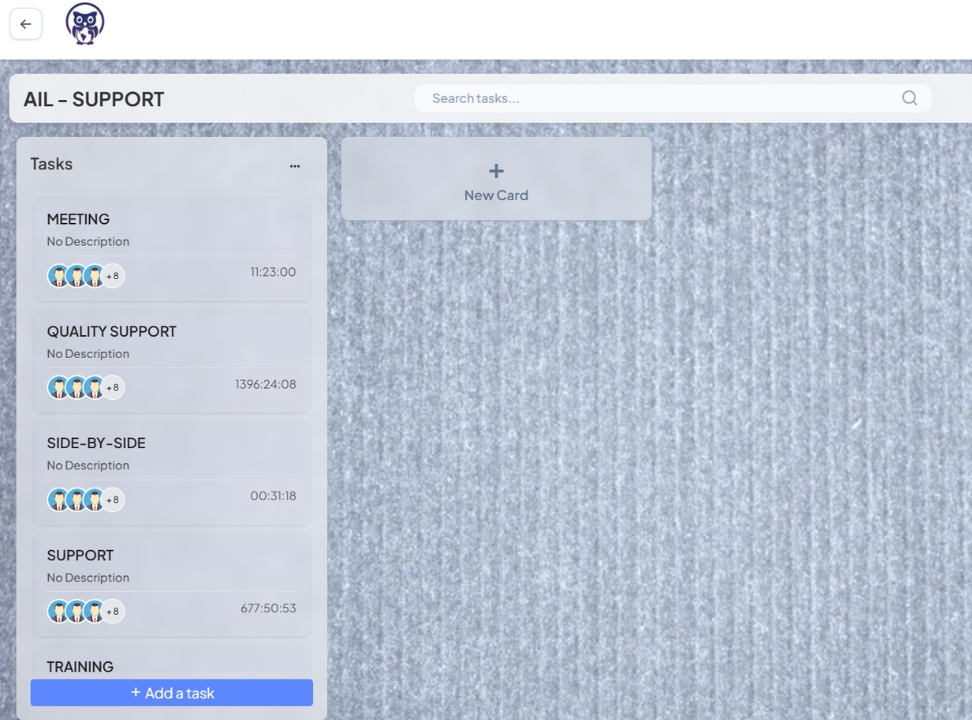
With Board → List → Card structure, your team can see exactly where time is being used in the workflow.
(05)
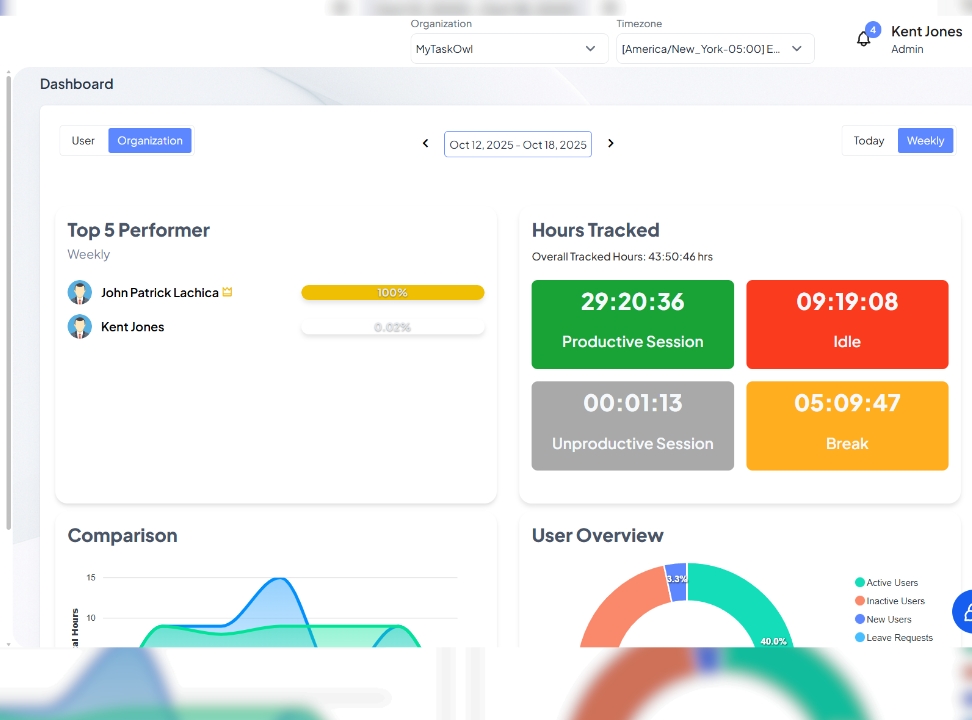
Real-Time Dashboard & Reports
Turn your time data into actionable insights with MyTaskOwl. The dashboard tracks total hours, active vs. idle time, productivity scores, and time spent per task or project. View detailed breakdowns by user and monitor daily, weekly, and monthly summaries. Gain instant visibility into performance patterns and areas for improvement. Make informed decisions to boost efficiency and productivity.
The MyTaskOwl dashboard shows:
- Total hours worked
- Active vs. idle time
- Productivity score
- Time per task
- Project-level time usage
- User-level breakdown
- Daily, weekly, and monthly summaries
You get instant visibility on patterns, performance, and opportunities for improvement.
(06)
Work-Friendly & Privacy-Respecting
MyTaskOwl puts you in control of your time and data. It offers optional screenshot controls, clear tracking indicators, privacy blurring tools, and user-managed timers. Respectful AI reminders help you stay on track without feeling monitored. Transparency is balanced with comfort and trust. It’s designed to empower, not micromanage.
MyTaskOwl balances transparency and user comfort by offering:
- Optional screenshot controls
- Clear indicators when tracking is active
- Privacy blurring tools
- User-managed timers
- Respectful AI reminders
It’s built for trust, not micromanagement.
(07)
Perfect For Any Industry
The MyTaskOwl Time Tracking System works seamlessly for teams and individuals across industries—from BPOs, freelancers, and creative agencies to tech startups, real estate, and customer service. It provides clear visibility into time, performance, and productivity. Remote workers and operations teams can easily monitor tasks without disruption. Everyone gets insights to optimize efficiency and workflow. MyTaskOwl makes tracking time simple, transparent, and effective.
The Time Tracking System works seamlessly for:
- Outsourcing & BPO Teams
- Freelancers
- Creative Agencies
- Tech Startups
- Real Estate Teams
- Customer Service
- Remote Workers
- Operations & Admin Teams
Anyone who needs clear visibility into time, performance, and productivity — MyTaskOwl makes it easy.
Why MyTaskOwl Time Tracking Stands Out:
✔️ AI-powered reminders (Ollie)
✔️ Clean and human-focused design
✔️ Customizable visibility settings
✔️ Smart tracking without micromanagement
✔️ Smooth integration with tasks, projects, and scheduling
✔️ Perfect for modern teams
(01)
Ollie AI Reminders — Your Productivity Companion
Ollie is your smart, friendly AI owl that keeps you consistent and focused with timely reminders, helpful nudges, and positive encouragement.
- Forget to start the timer
- Work too long without a break
- Tasks taking longer than usual
- Late or early logins
- Idle activity confirmation
Ollie supports — never monitors.
(02)
Optional Screenshot Visibility
See your work your way. Enable or disable screenshots, set capture intervals, and an option to blur entire screen to protect privacy.
- Enable or disable screenshots
- Set capture intervals (5–10 minutes)
- Blur entire screen to protect privacy
- Admin controls per user
Transparent, optional, and respectful.
(03)
Smart URL & App Activity Tracking
Understand exactly where your time goes — without micromanagement.
- Active websites & applications
- Time spent per app or site
- Productive vs non-productive labels
- Idle vs active time
Clarity for users. Insight for managers.
(04)
Task & Project Time Tracking
Connect every minute of work to real deliverables.
- Tasks, cards, projects, clients
- Accurate reporting
- Real-time costing
- Better forecasting
Board → List → Card visibility.
(05)
Real-Time Dashboard & Reports
Turn time data into actionable insights.
- Total & active hours
- Productivity score
- User & project breakdowns
- Daily, weekly, monthly summaries
See patterns. Improve performance.
(06)
Work-Friendly & Privacy-Respecting
Designed to empower — not pressure.
- Clear tracking indicators
- User-managed timers
- Privacy blurring tools
- Respectful AI reminders
Built for trust, not micromanagement.
(07)
Perfect for Any Industry
Built for modern teams across industries.
- Freelancers & agencies
- BPO & outsourcing teams
- Tech startups
- Remote & operations teams
Smart tracking for modern work.
×
Start Tracking Time the Smart Way
MyTaskOwl helps you work better, not harder — with clarity, motivation, and total transparency.
Time tracking has never been this smart, this friendly, or this connected.